Using Smart Search
Describe the creators you want in plain English and let CrewFire build the search.
Smart Search lets you describe the creators you're looking for in plain English instead of
setting filters by hand. CrewFire interprets your request, runs the matching Instagram and TikTok
searches, and ranks the results for you.
How to use it
- Open Smart Search from the navigation.
- Type what you want — for example: "US-based fitness micro-influencers with high engagement" or "beauty creators in the UK between 50k and 250k followers."
- Review the results. Each creator gets a match score and a short reason explaining the fit.
- Refine by sending a follow-up ("only ones with higher engagement") or by removing filter chips.
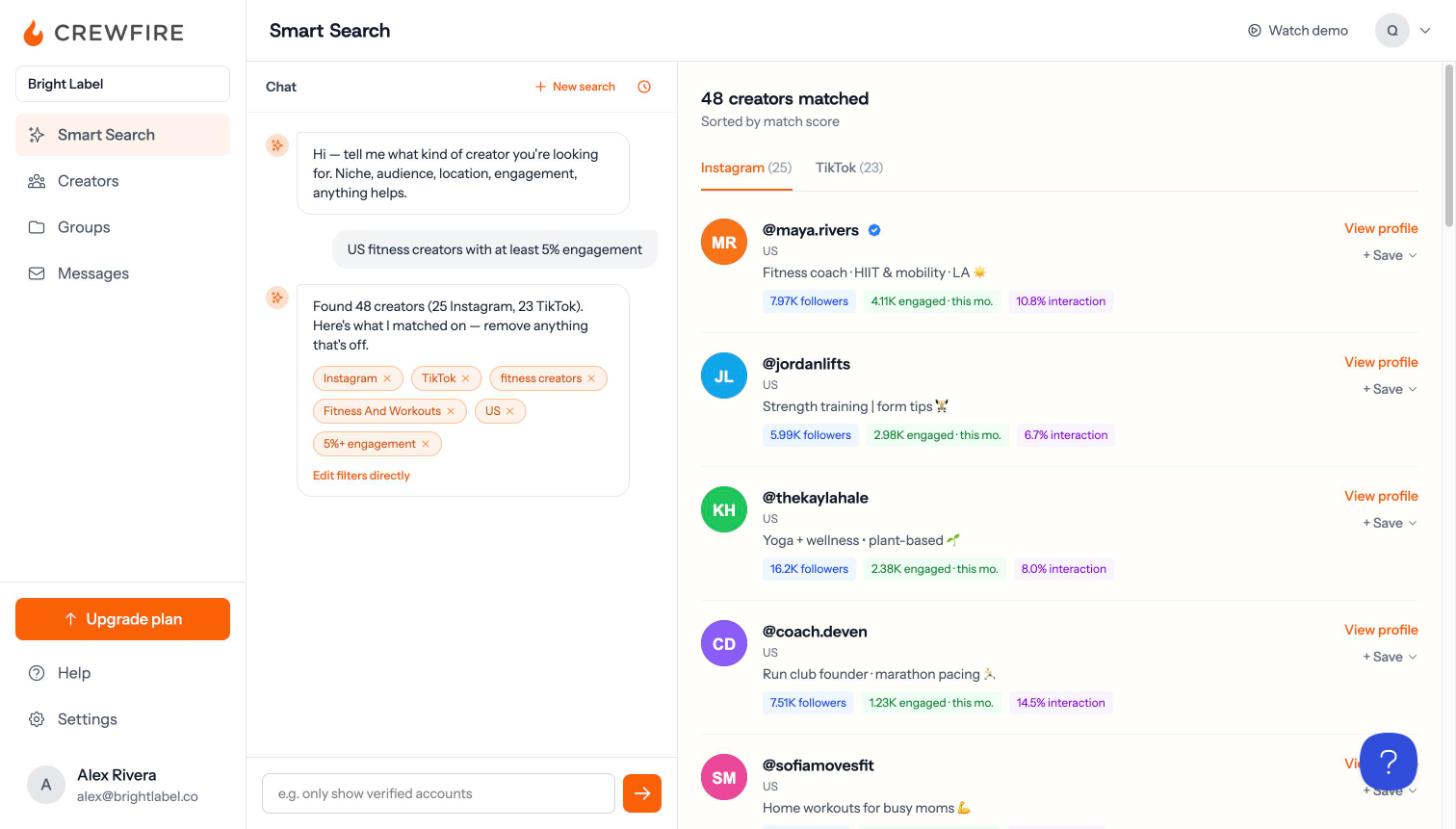
Smart Search — describe who you want on the left; matched Instagram and TikTok creators appear on the right, with removable filter chips.
Recent searches
Your recent Smart Searches are saved so you can reopen and re-run them from the history dropdown
without retyping.
Smart Search and credits
Unlike standard search, each Smart Search uses one search credit, because it runs an AI step to
interpret your request. Your plan includes a monthly allowance, and the Smart Search screen shows how
many credits you have left. When you run out, you'll see an upgrade prompt.
See Understanding search credits for allowances by plan.
More in Finding Creators
Still need help?
Can't find what you're looking for? Our team is happy to help.
Or email us directly at support@crewfire.com