Saving creators to your roster
Save creators you find so you can organize and reach out to them later.
When you find a creator worth remembering, save them. Saved creators make up your roster and live
under Creators in the navigation.
How to save
Click Save on a creator card or on their profile. They're added to your roster immediately and
can be added to a group at any time.
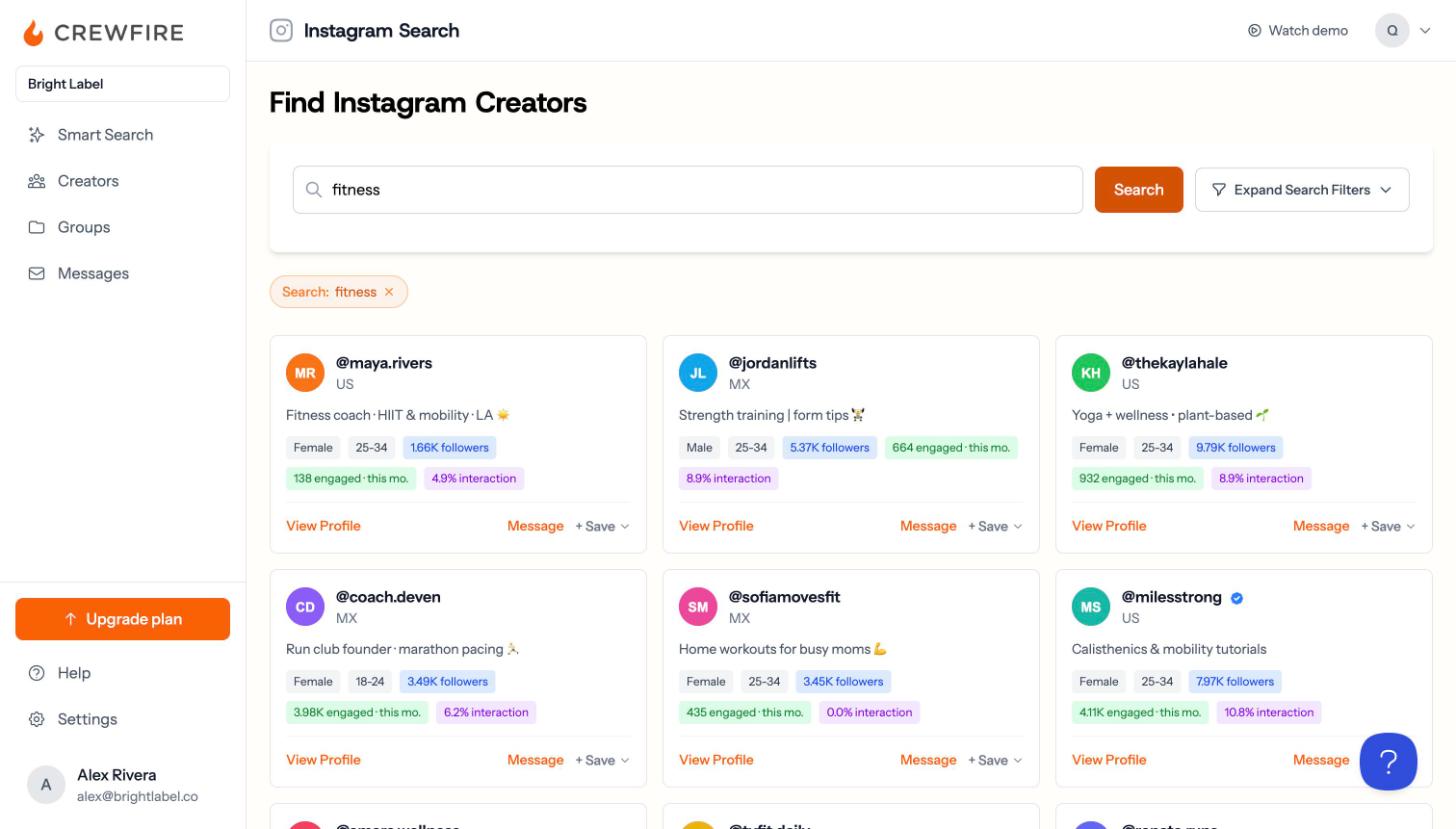
Use *+ Save** on any creator card to add them to your roster.*
Your Creators list
The Creators page is your saved roster. From here you can:
- Review everyone you've saved.
- Add creators to groups.
- Open a creator to reveal their email or start a conversation.
How many creators you can save
Your plan includes a number of new creators you can save each month — a monthly allowance, not a
lifetime cap. Everything you've already saved stays on your roster for good; the allowance just
limits how many new creators you add in a given month, and it resets on the 1st.
| Plan | New creators / mo |
|---|---|
| Free | 25 |
| Pro | 250 |
| Growth | 2,500 |
| Business | 10,000 |
| Agency | Unlimited |
This allowance pools across your whole team (all brand workspaces together). If you use it up
before the month ends, you can keep working with everyone already saved — you just can't add new
ones until the allowance resets or you upgrade. Removing a creator you saved this month frees that
slot back up.
More in Organizing & Outreach
Still need help?
Can't find what you're looking for? Our team is happy to help.
Or email us directly at support@crewfire.com