Brands & workspaces
Keep creators, groups, and messages separate per brand, and switch between them.
A brand is a workspace inside your team. Each brand keeps its own creators, groups, searches, and
messages separate — ideal for agencies or teams managing more than one brand.
Your default brand
Every team has one default brand, so solo accounts never have to think about this — everything
just lives in that one workspace.
Adding brands
Owners and admins can add brands from the Team page. How many brands you can create depends on
your plan (Agency supports multiple brand workspaces). Each brand has its own:
- Saved creators and groups
- Conversations in Messages
- Instagram / TikTok connection for messaging
Switching brands
When you have access to more than one brand, a brand switcher appears in the sidebar. Switch
brands to change which workspace you're working in — the creators, groups, and messages you see update
to that brand. Your access is re-checked on every switch, so you only ever see brands you're allowed
into.
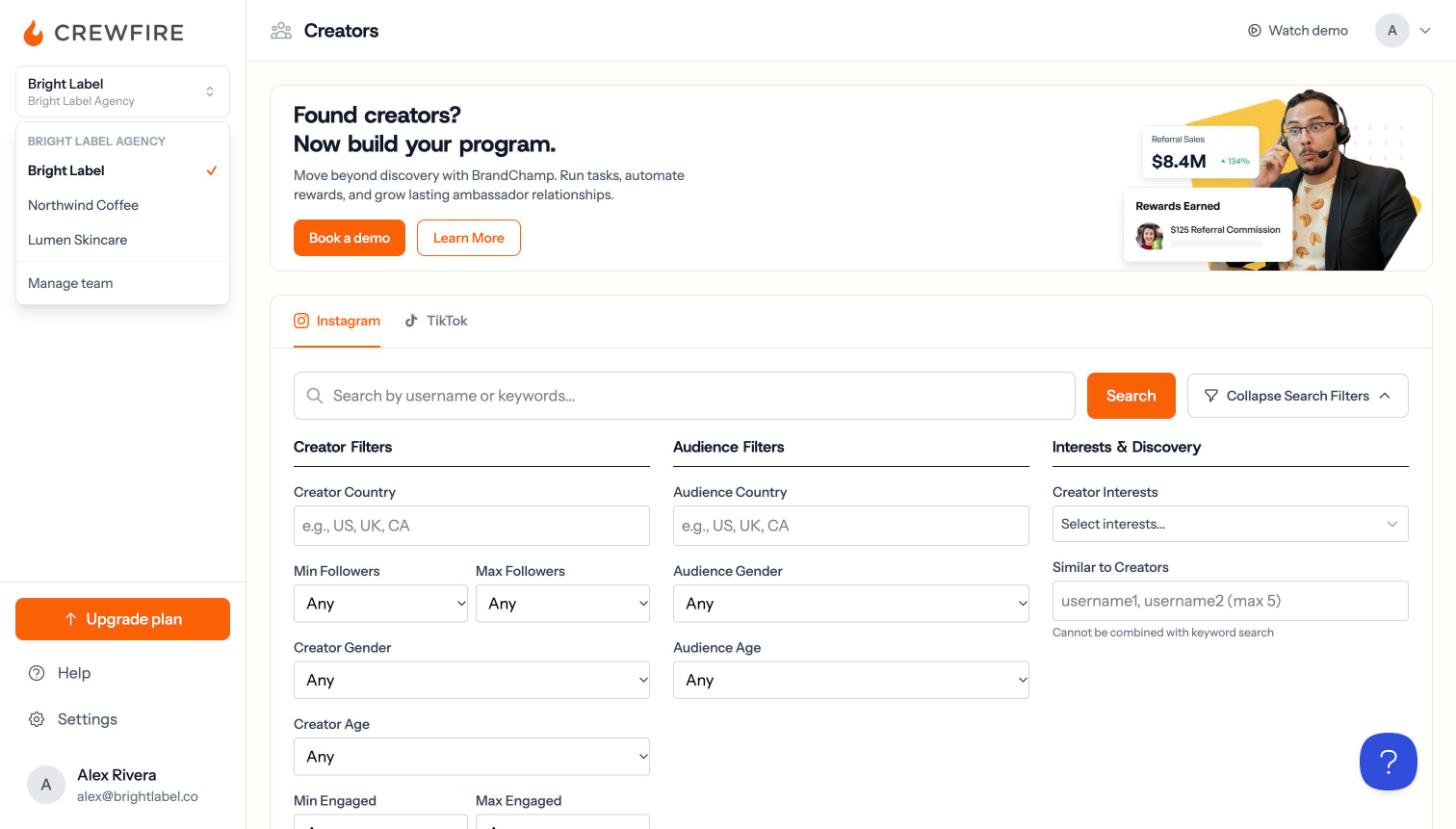
The brand switcher in the sidebar — brands are grouped by team, and the active one is checked.
Giving members brand access
Owners and admins grant or revoke each member's access to specific brands from the Team page, so
you can keep one member focused on one brand and another on several.
Connecting a brand's social account for messaging is an admin task — see
Connecting Instagram.
More in Teams & Brands
Still need help?
Can't find what you're looking for? Our team is happy to help.
Or email us directly at support@crewfire.com